Compatibility Analyzer report
The Compatibility Analyzer report checks whether your model fits the target hardware by evaluating memory constraints, operator support, and data type compatibility.
Before you start
This section assumes you have already generated a Compatibility report from the System Planner UI in Embedded AI Tools. The report is an interactive, graphical report with expandable sections, severity indicators, and clickable reference links.


Tip
To generate output for scripting and automation, use cfsutil ai compat from the terminal.
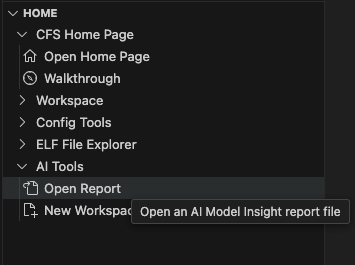
To reopen a previously generated report, select AI Tools > Open Report from the Home section of the CFS sidebar.
Memory issues
Memory issues occur when the model exceeds the flash or RAM limits defined in the hardware profile. In CFS, these issues do not block code generation, but they may appear in the report to indicate that the generated model is unlikely to run correctly on hardware.
Each memory issue is displayed as follows:
-
Issue summary
Shows the memory issue type and its severity. For example:Model storage Flash overflow [Warning] -
Detailed information
Provides specific details about the memory constraint violation, such as the amount of memory required and the hardware limits. -
Recommended actions
Lists suggested ways to reduce memory usage and resolve the issue.
Memory issue types
The following memory issues may be reported:
- Model storage memory overflow (Critical)
The model exceeds both flash and RAM limits. - Model storage flash overflow (Warning)
The model exceeds flash limits but fits within available RAM. - Model storage RAM overflow (Warning)
The model exceeds RAM limits but fits within available flash. - RAM memory overflow (Warning)
Peak runtime RAM usage exceeds the hardware limit.
Suggested optimization strategies
The report provides context-specific recommendations based on the type of memory issue and model characteristics. Common strategies include:
For models with floating-point weights:
- INT8 Quantization: Convert the model to use 8-bit integer precision. Refer to the TensorFlow Lite post-training quantization guide for details.
- Weight Pruning: Remove unnecessary weights or neurons from the network. Refer to the TensorFlow Model Optimization documentation for details.
- Model Architecture Optimization: Redesign the model to use more hardware-efficient layers or data flows (for example, replacing standard convolutions with depthwise separable convolutions).
For already-quantized models or models without quantizable layers:
- Weight Pruning and Model Architecture Optimization (listed above)
- Reduce Model Complexity: Simplify the model by reducing layer count or dimensions. Refer to the TensorFlow Lite performance optimization guide for details.
For runtime RAM overflow issues:
- Reduce batch size: Lower the batch size to decrease peak memory usage during inference.
- Layer fusion optimization: Combine operations to reduce intermediate tensor allocations.
- Tensor lifecycle optimization: Optimize when tensors are allocated and freed to reduce peak memory usage.
Operator check issues
Operator check issues indicate that a model layer uses an operator not supported by the target implementation. Code generation should not proceed until the operator has been replaced.
Each operator check issue is displayed as follows:
- Issue summary
Shows the unsupported operator, and the severity. For example:CONV_2D [Critical] - Affected layers
The indices of model layers that use this operator. - Suggested Alternative
The suggested alternative (if available)
Suggested mitigation strategies for operator check issues
- Replace the unsupported operator. The report may include a suggestion to consider.
- If no alternative is provided (for example, the report shows
no hardware-compatible alternative identified), remove the unsupported operator or redesign the layer and retrain.
Unsupported type checks
Unsupported type check issues occur when a model layer uses a data type that is not supported by the target hardware. These issues are flagged during analysis. Code generation should not proceed until an appropriate data type is used.
Each unsupported type check issue is displayed as follows:
- Issue summary
Shows the operator, the unsupported data type used by the operator, and the severity. For example:CONV_2D operation uses FLOAT32 [Critical] - Affected layers
The indices of model layers where this operator–data type combination occurs.
Suggested unsupported type mitigation strategies
Apply quantization to convert the model to a hardware-supported data type (for example, INT8 or UINT8). Refer to the TensorFlow Lite post-training quantization guide for details.