AI-Assisted Development Skills
CodeFusion Studio (CFS) provides two skills that give your AI assistant doc-backed, product-specific answers about CFS:
cfs-docs— answers questions about installing, setting up, using, and troubleshooting CodeFusion Studio by reading the relevant documentation.cfs-cli— provides guidance on thecfsutilcommand-line utility, including code generation, workspace and project management, package installation, ELF analysis, and AI model workflows.
The skills follow the open Agent Skills standard, so they work across GitHub Copilot, Claude Code, OpenAI Codex, and other supported agents. Install them as described in the following sections.
Access in GitHub Copilot
Once the CFS VS Code extension is installed, the skills are available in GitHub Copilot Chat — no separate installation is required.
Note
Using the skills in Copilot requires VS Code 1.109 or later. On earlier versions the extension still installs, but the skills are not available in Copilot Chat. Update VS Code to use them.
- Install the GitHub Copilot extension.
- Open GitHub Copilot Chat (
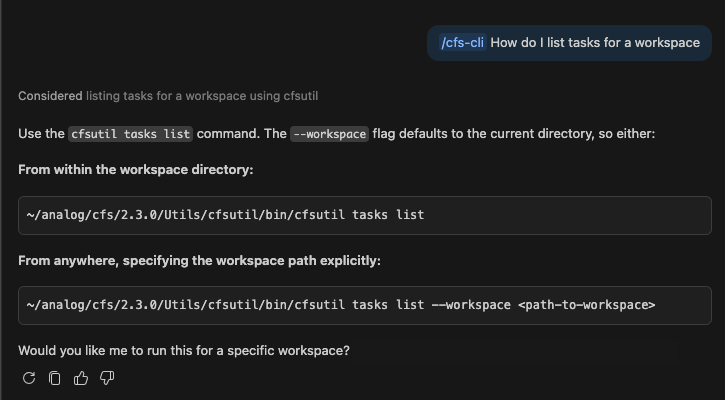
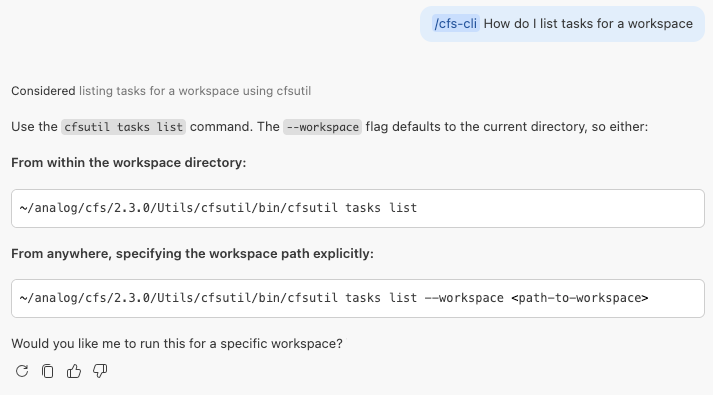
Ctrl+Alt+I/Cmd+Shift+I). - Ask a CodeFusion Studio question — for example, "How do I create a new workspace in CFS?" for product documentation, or a CLI question like "How do I list tasks for a workspace?" Copilot uses the relevant skill to answer.
Access in Claude Code
For Claude Code, install the skills as a plugin from the CodeFusion Studio marketplace:
/plugin marketplace add analogdevicesinc/codefusion-studio
/plugin install cfs-skills@adi-codefusion-studio
Once installed, invoke the skills with:
/cfs-docs(or/cfs-skills:cfs-docswhen installed through the plugin) for product documentation questions./cfs-cli(or/cfs-skills:cfs-cli) for CLI command reference.
Access in other assistants
The skills follow the open Agent Skills standard and work in compatible agents such as OpenAI Codex and Cursor. Use this command to detect installed agents and add the skills to each:
npx skills add https://github.com/analogdevicesinc/codefusion-studio/tree/main/packages/cfs-skills
Invoke the skills using the method supported by your assistant.