Troubleshooting
Debugging
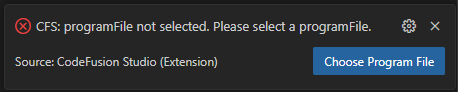
- If you don't select an option from the quick pick menu, the debug session ends. An error notification lets you reopen the menu and select the required setting:
Example
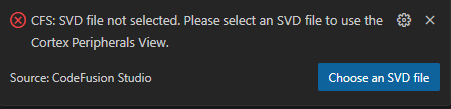
- If no SVD files are present in the CMSIS Pack directory, an error notification allows you to browse your file system for an SVD file:
Example
MAX32657 and MAX32658: Configure for an external J-Link
If the MAX32657 or MAX32658 EV kit jumpers are misconfigured, the external debugger may fail to connect, or you may see errors such as multiple J-Link devices being detected.
You can use an external J-Link probe instead of the on-board (OB) J-Link on MAX32657 or MAX32658 EV kits.
To route SWD to the external J-Link:
- Remove the shunt from JP6 to disable the on-board J-Link (J-Link OB-MAX32690-ADI) when using an external debugger.
- Connect the external J-Link to the EXT SWD header (J3).
- Install shunts on JP22 and JP23 (EXT SWD EN) to route the SWD signals from J3 to the MAX32657.
- Remove all shunts from JP18 (OBD SWD EN) so the on-board J-Link (OB) is disconnected from the SWD lines.
- Ensure the external debugger operates within the SWD I/O voltage specified in the EV kit user guide.
Note
As a guideline for current EV kit revisions, the target I/O voltage is in the 1.2–1.6 V range. Do not connect debuggers that only operate at 1.8 V or 3.3 V directly to the EXT SWD connector.
Important
The jumper functions and recommended I/O voltages can change between EV kit revisions.
Always refer to the latest MAX32657 / MAX32658 EV kit user guide for the authoritative
jumper and voltage information and follow the manufacturer’s safety instructions.
Serial monitor
- Failed to open serial port on Linux
The user may need to be added to the dialout group in order to manipulate the serial port.
sudo usermod -aG dialout <username>