Low power mode
The Zephyr Single Core PM GPIO Wakeup template demonstrates Zephyr power management on MAX32657/MAX32658. The template enables power management and configures a button as a wake-up source by default, so no manual setup is required. The wake-up button is preconfigured to P0.12 (devicetree alias sw0, labeled SW2 on the EV Kit). For pin assignments, see System Planner.
The example cycles through the enabled low power states for the MAX32657/MAX32658 CPU: runtime idle, standby, and suspend to RAM.
Before you begin, complete the prerequisites and then run Blinky first.
Build the example
Create a new workspace, selecting MAX32657 or MAX32658 as the device, the EvKit_V1 board, and the Zephyr Single Core PM GPIO Wakeup template.
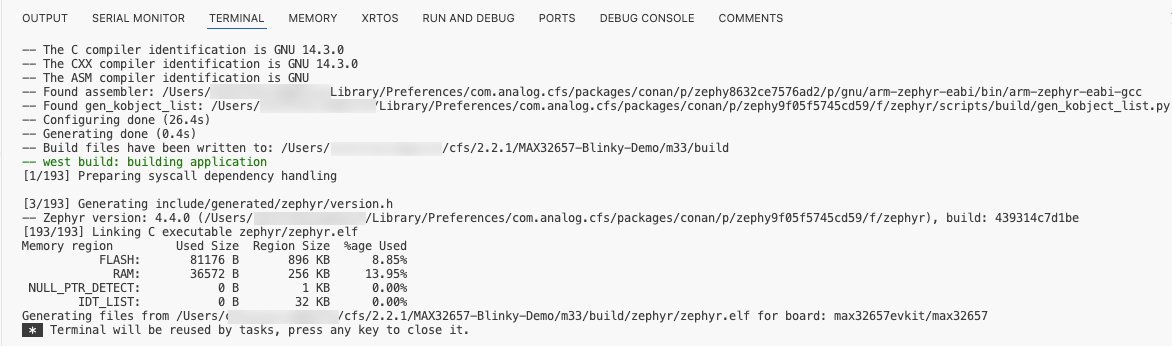
In the Actions view, select Pristine Build (m33) to build the project.
Run and monitor the example
In a low power state, the device is idle and gives no outward sign of activity — that is intended. Use the serial console to confirm which state the device entered and that the button press woke the device. The example prints the active power state over the UART0 console at 115200 baud.
- Open a serial terminal connected to the EV Kit at 115200 baud, as described in View the serial output. Connect it before you flash to capture the startup output.
-
In the Actions panel, click Flash & Run (J-Link)(m33) to program the device. The device boots and enters the first low power state. The serial terminal shows output similar to the following:
Device ready: max32657evkit

Press the user button to wakeup device from deepsleep mode:
Entering PM state RUNTIME_IDLE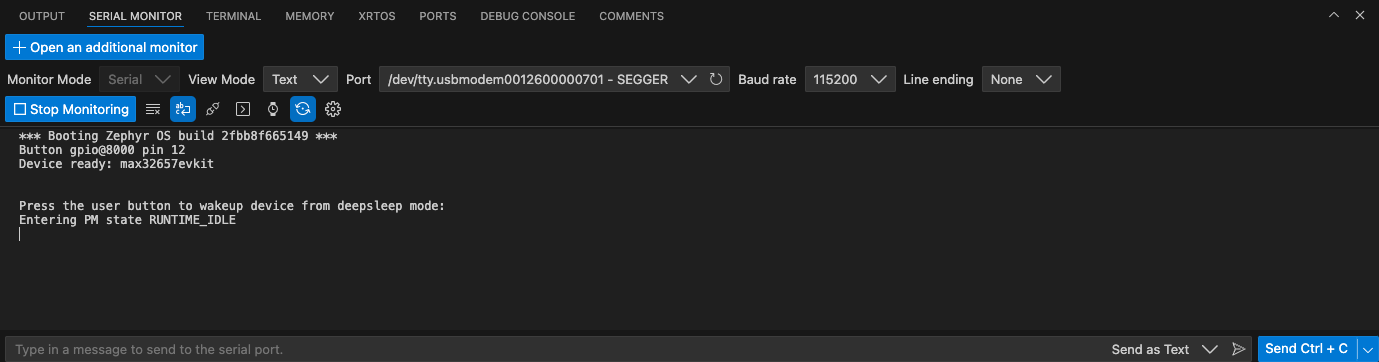
-
Press the SW2 button on the EV Kit to wake the device. The serial terminal reports the next power state:
Entering PM state STANDBY -
Repeat the previous step to step through each power state (the next is suspend to RAM). After the last state, the example returns to the first.
Logging runs in immediate mode
This example uses immediate-mode logging so that deferred log work does not wake the device while it is in a low power state.
Next steps
You have now verified that the MAX32657/MAX32658 can enter and wake from its supported low power states using a GPIO wake-up source.
Try the other MAX32657/MAX32658 templates in the Workspace Creation Wizard, or continue with the CodeFusion Studio documentation to learn more about debugging applications, using debug tools, configuring SoC resources with System Planner, and automating workflows with cfsutil.