Exploring the ADI Model Zoo
The ADI Model Zoo is a centralized repository of machine learning models provided by ADI. It offers a curated collection of pre-trained models that users can browse, search, and filter. Models available in EdgeBench are also accessible through Analog Devices' public GitHub repository: ADI Model Zoo
Key characteristics
- Read-Only Access: Users can view and utilize models from the model zoo, but these models do not count against their personal storage allocation.
- Reusable Resources: Models in the zoo can be reused across multiple projects, promoting consistency and efficiency.
Model list
Models in the zoo are displayed as cards, each providing essential information for quick reference.

Model list management
Refer to Common User Controls for:
- Filter Panel
- Sort Options
- Search Bar
- Model Card Info
Model card info
Each card includes the following details:
| Field | Description |
|---|---|
| Model Name | The name assigned to the model by the user |
| Task Type | The specific task the model is designed to perform |
| Framework | The machine learning framework used to build the model |
| Model Size | The file size of the model, useful for assessing resource requirements |
| Creation Date and Time | Indicates when the model was uploaded or created |
| Number of Projects Associated | Indicates how many projects currently use this model |
Model details page
The Model Details Page provides a comprehensive view of a selected model. It is divided into three main sections, each offering specific insights and controls.
Model information
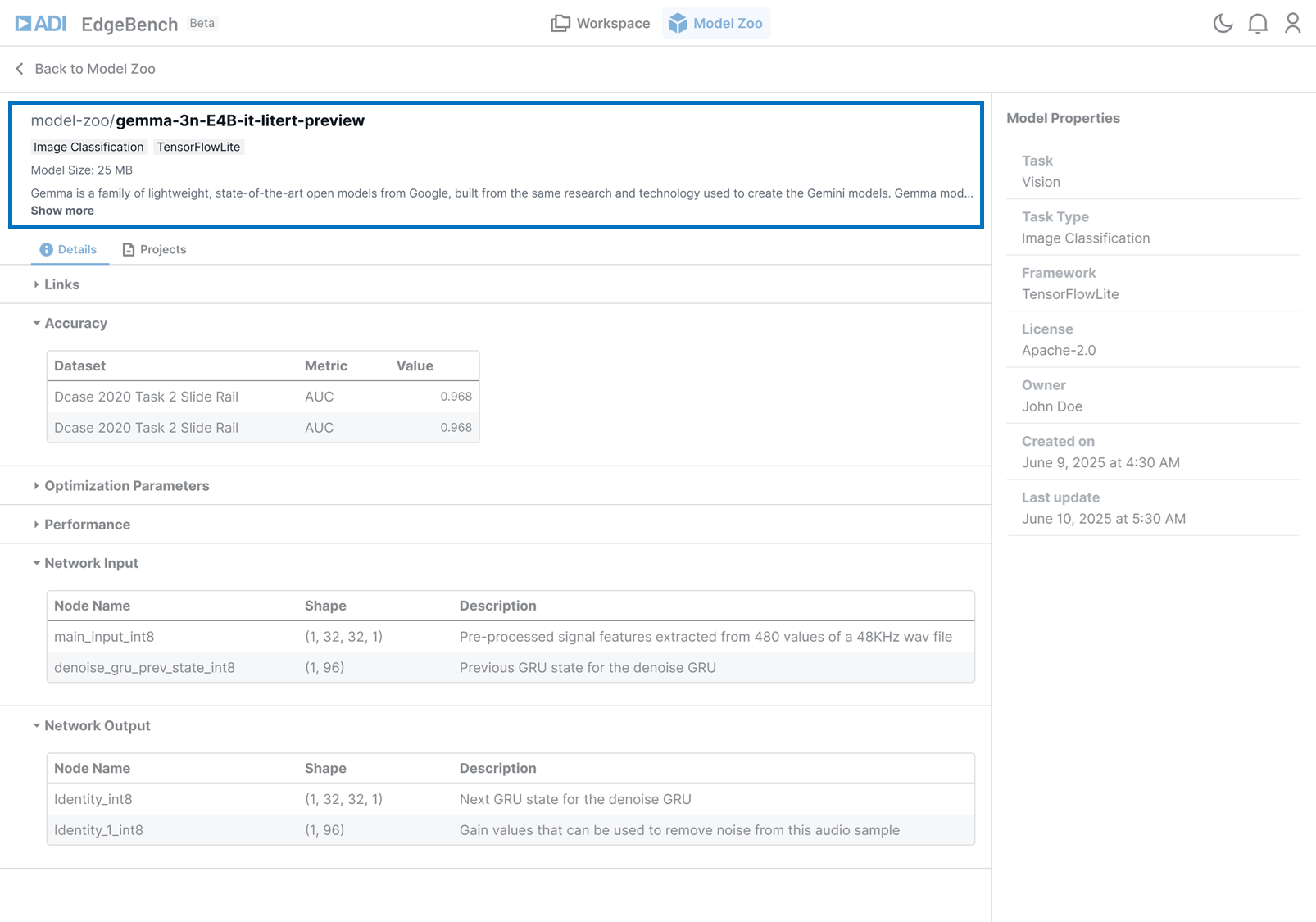
This section presents high-level identification and metadata about the model.
| Field | Description |
|---|---|
| Model Title | The complete model name; helps users identify the model quickly. |
| Framework | The training framework used to develop the model. |
| Model Size | The size of the model. |
| Model Description | A brief description of the model |
Technical details

This section provides in-depth technical specifications and performance data for the selected model.
| Section | Description |
|---|---|
| Resource Links | Direct access to documentation, repositories, or related assets |
| Accuracy | Performance metrics relevant to the model's task |
| Optimization Parameters | Configuration settings used to fine-tune the model for performance and efficiency |
| Network Input/Output | Specifications for data formats and expected input/output |
Associated projects
Clicking on the Projects tab reveals all projects associated with the selected model.

Model properties side panel
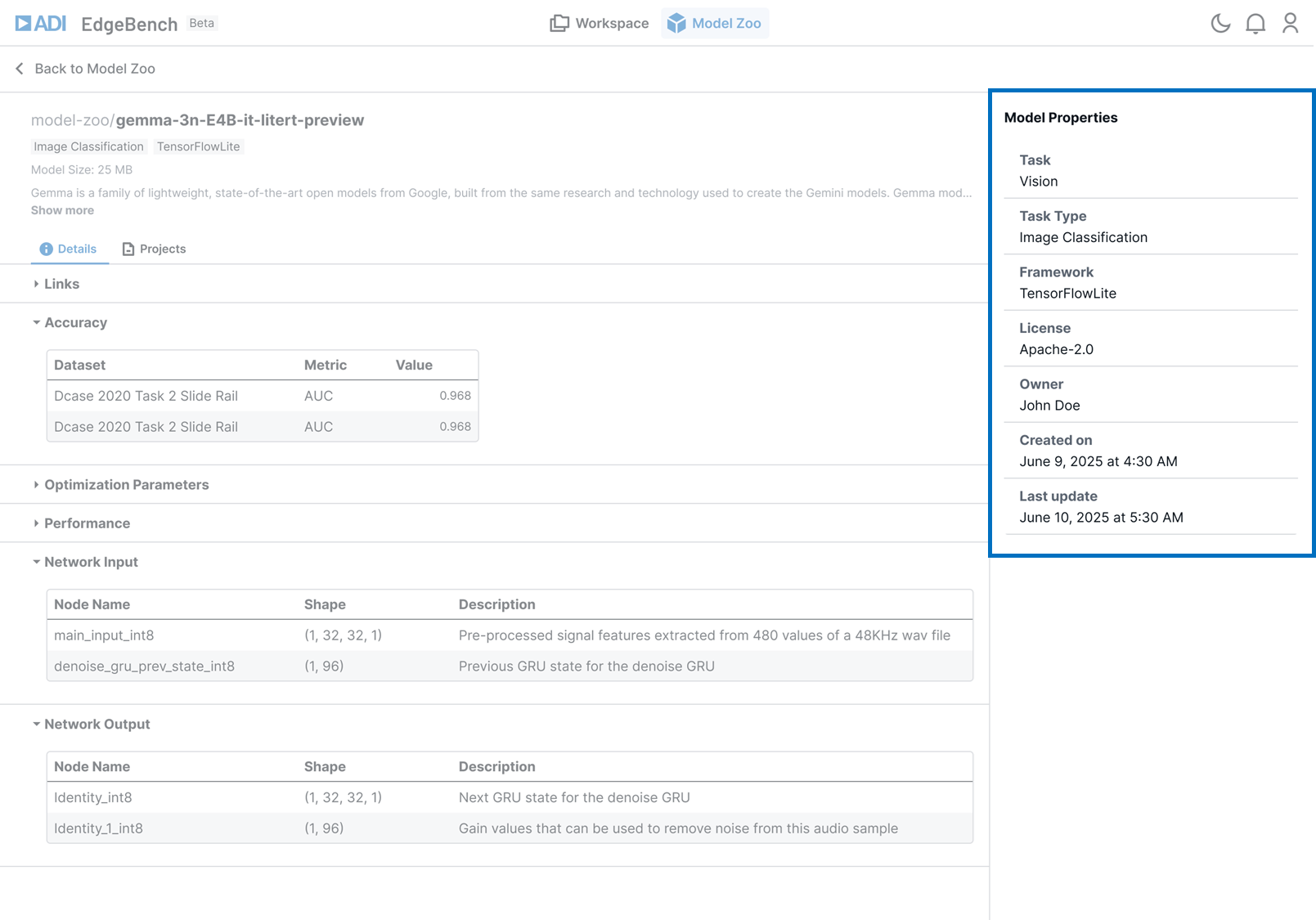
The right-hand panel displays the model's basic properties in a structured format. This includes essential metadata such as:
| Field | Description |
|---|---|
| Model Name | The name assigned to the model |
| Task Type | The task the model is designed to perform (e.g., classification, detection) |
| Framework | The model training framework used to build the model |
| Owner Name | The user who uploaded or created the model |
| Creation Date | Timestamp of when the model was first uploaded or created |
| Last Updated | Timestamp of the most recent modification |